
GitMind allows you to encrypt documents with a password to help protect private or sensitive content from unauthorized access. Once encryption is enabled, the correct password is required to access the protected document.
Encrypt a Document
To encrypt a document, find the document you want to protect in My Mind and click the three-dot menu next to it. Select ‘Document encryption’ from the menu.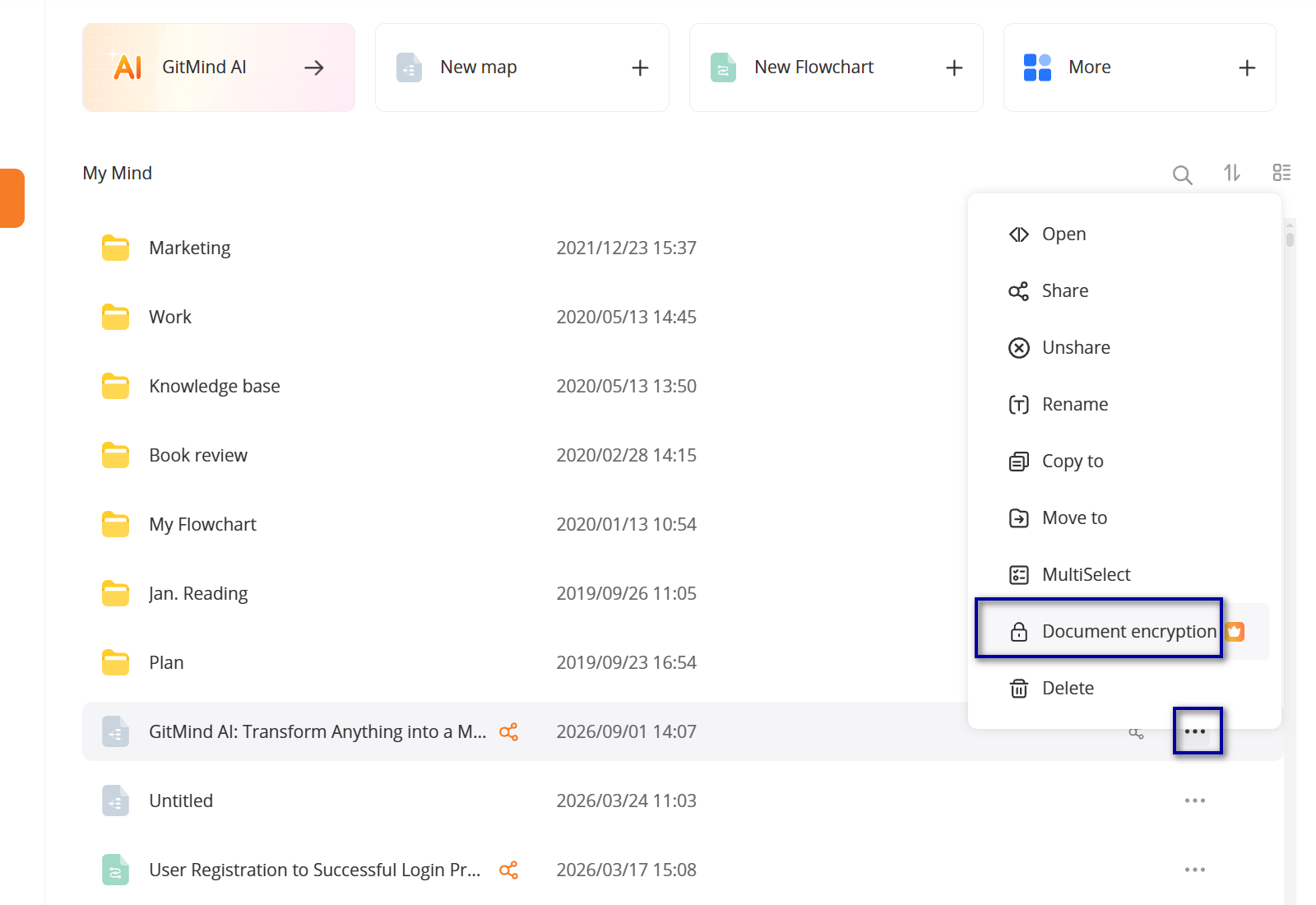
Set an Access Password
Enter the password you want to use, then enter it again to confirm. You can also add a password hint to help you remember the password if you forget it.
After completing the settings, click ‘OK’ to enable document encryption. The document will then be password-protected, and the correct password will be required to access it.
Document encryption is especially useful for mind maps containing personal information, work materials, project plans, research notes, or other content that you want to keep private.

Leave a Comment