An AI study guide generator is useful when it turns course notes into something you can study from: concepts, worked examples, common mistakes, questions and a next review task. This tutorial uses a real two-page lesson on mean, median and unusual values, with a guide generated in GitMind AI Chat and checked against that source.
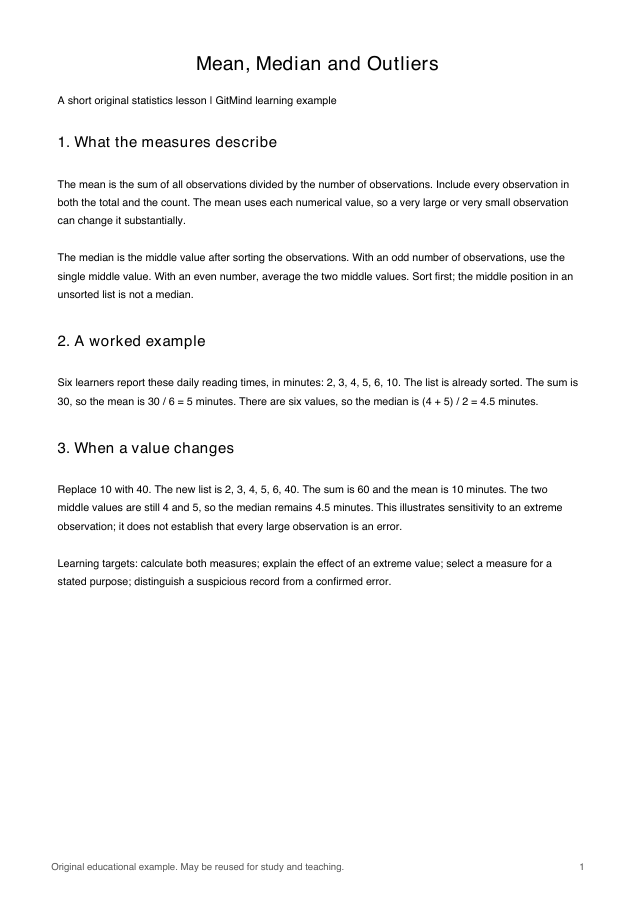
Download the source lesson (PDF), then open GitMind AI Chat to try the workflow. The lesson is original educational material that may be reused for study and teaching.
- Generate a guide from course notes
- The checked study guide
- Self-test and answers
- Choose the next review task
- Reusable prompt
How to create an AI study guide from course notes
- Choose one lesson with clear learning goals. Keep its headings and page numbers so you can trace the output back to the source.
- Open GitMind AI Chat and select Chat Now. Sign in if prompted.
- Paste the lesson text into the message box, preceded by the prompt below. In this test, we pasted text extracted from the downloadable PDF; we did not test PDF attachment processing for this guide.
- Send the message and wait for the guide. Ask for exactly four concept rows and four questions so the output can be checked against a small, explicit scope.
- Recalculate the numerical answers, check each concept against the lesson, and remove unsupported additions. Save the checked guide in your notes with the source link.
We completed this chat workflow on November 4, 2026. The generated response contained the requested four concepts, four self-test questions, separate answers and a review plan based on missed questions. The version below is condensed and checked; PDF page references were added by the editor. Account allowances and available models can change, and later runs may produce different wording.
The checked study guide: mean, median and unusual values
Learning objectives: calculate the mean and median; explain how a changed observation affects them; select a measure for a stated purpose; and distinguish an unusual record from a confirmed error.
| Concept | Rule and worked example | Common mistake | Source |
|---|---|---|---|
| Mean | Add every observation and divide by the count. For 2, 3, 4, 5, 6, 10: 30 ÷ 6 = 5 minutes. Replacing 10 with 40 changes the mean to 60 ÷ 6 = 10. | Leaving a value out of the sum or count; assuming an extreme value has no effect. | Page 1, sections 1–3 |
| Median | Sort first. Use the middle value for an odd count and average the two middle values for an even count. In both six-value examples, (4 + 5) ÷ 2 = 4.5 minutes. | Using an unsorted middle position; assuming the result must appear in the dataset. | Page 1, sections 1–3 |
| Choosing a measure | For the middle learner in 2, 3, 4, 5, 6, 40, report the median of 4.5 minutes. For a total, the mean is useful because mean × count recovers the sum. | Calling one measure best for every purpose. | Page 2, choosing a measure |
| Checking unusual values | A 40-minute record may be real. Check units, transcription and the original record before deciding whether it is an error. | Deleting a value merely because it changes the mean. | Page 2, outlier discussion |
The lesson does not define a formal outlier-detection threshold. Keep that gap visible instead of inventing an extra rule. Neither the mean nor median describes all differences between learners.
Four self-test questions
Cover the table and answer from memory. Show the calculation or reasoning, not just the final number.
- For 3, 4, 4, 5, 9, calculate the mean and median.
- For 2, 3, 4, 5, 6, 40, which measure would you choose to describe the middle learner, and why?
- A classmate says the median is always one of the observed values. Give a counterexample from the lesson.
- Should the 40-minute value automatically be deleted? What would you check first?
Show answers
- The sum is 25 and the count is 5: mean = 5, median = 4.
- The median, 4.5 minutes, describes the middle learner for this purpose. The high value raises the mean to 10 minutes.
- In 2, 3, 4, 5, 6, 10, the median is 4.5, which is not an observed value.
- No. Check the original record, units and transcription before treating it as an error.
These questions correspond to practice A–D on page 2. The AI reused the source’s practice tasks, so this section rehearses those tasks rather than proving transfer to unseen problems.
Let missed questions determine the next review task
| If you missed… | Review next | Check before moving on |
|---|---|---|
| Question 1 | Recalculate the sum and count; sort the values before finding the middle. | You can explain why the mean is 5 and the median is 4. |
| Question 2 | Compare what “middle learner” and “total reading time” ask you to describe. | You choose a measure for the purpose, not by habit. |
| Question 3 | Review the even-count median rule. | You can average 4 and 5 and explain why 4.5 need not be observed. |
| Question 4 | Review the difference between an unusual observation and an error. | You name the source, unit and transcription checks before deleting data. |
Retry missed questions after reviewing the relevant concept. In a later study session, explain the reasoning again without the guide. If all four are correct, try this editor-added transfer question: for 1, 2, 3, 4, 20, find both measures. The answer is mean 6 and median 3. Explain which you would use to describe the middle observation.
A prompt you can reuse
Create an English study guide using only the source below.
Include:
– 4 learning objectives.
– A table of 4 concepts: mean, median, choosing a measure, and checking unusual values. For each, give a rule, worked example and common mistake.
– 4 short-answer self-test questions, with separate answers.
– A review plan based on which questions were missed, rather than a fixed seven-day schedule.
Preserve all numbers. Do not add a formal statistical outlier threshold. Label anything missing as “not stated”.
SOURCE:
[Paste the lesson text with headings and page labels here.]
For a different course, replace the four concept names with the actual topics and adjust the requested counts together. If the source is incomplete, supply the missing section before asking for a comprehensive guide. A polished output cannot establish what your exam will cover; compare it with the syllabus.
When to use a quiz or mind map instead
Use the guide when you need explanations and a review plan. For a question set with answer explanations, follow the tested PDF-to-practice-test tutorial. To see relationships between concepts, use File to Mind Map and check the branches against the guide. A visual outline is one part of studying; the questions and corrective review still need to be completed.
